
@stephen that’s dedication. I spent maybe 25 minutes on the Veni Vidi Vici one before giving up.
@stephen I loved it so much! Perfectly balanced difficulty, really cool feeling of exploration, and it ended at the exact right time.
Just finished playing VVVVVV for the first time. Phenomenal game. It’s short (I finished in 2:20), and difficult, but it has extremely generous checkpointing and instantaneous reloads. Highly recommend.
It’s free on Portmaster if you have a Linux handheld gaming device, or on other platforms for less than $15: https://thelettervsixtim.es/
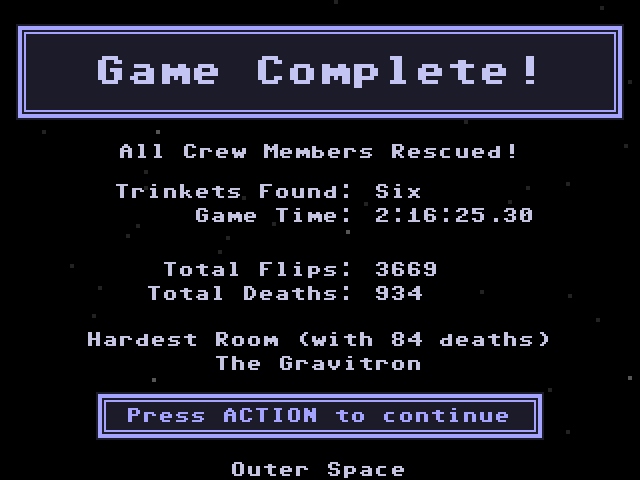 In-game text: Game Complete! All Crew Members Rescued! Trinkets found: six Game Time: 2:16:25.30 Total Flips: 3669 Total deaths: 934 HardestRoom (with 84 deaths): The Gravitron Press ACTION to continue Location: Outer Space
@b3ll @rileytestut okay thanks I’ll give it a try!
@b3ll @rileytestut oh interesting! I remember you posting about this ages ago but I didn’t really get it at the time.
If I understand correctly, this would be very important for function calls across module boundaries, but since I only have the one module (so far), I think the compiler would automatically specialize for my actual uses, right? Or maybe I should add the annotations anyways, like I’ve added some forced-inlining annotations elsewhere?
I finally beat Super Mario Bros! I only used 50 separate save states and restarted from them countless times 😅
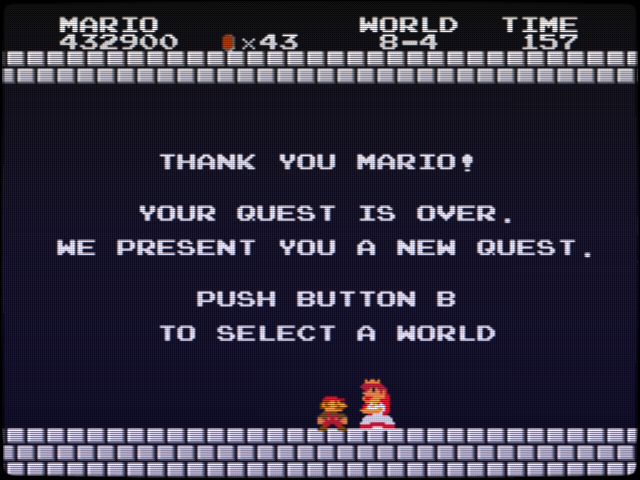 Super Mario Bros victory screen. “Thank you Mario! Your quest is over. We present you a new quest. Push button B to select a world”
NES Emulator: Existentials Crisis
In which I discover the performance downsides of Swift existentials, to the tune of hundreds of thousands of dynamically dispatched function calls per second.
https://www.sadlerjw.com/2025/08/22/nes-emulator-existentials-crisis/
I made a website for my NES emulator, and there's a macOS build anyone can download and use! (There are a list of caveats on the website.)
A TestFlight build is in review for iPhone and iPad, so that will come later.
https://nesbit.app
Nesbit, my NES emulator written from scratch in Swift, is available for macOS and now there’s a TestFlight for iOS and iPadOS too! It has an on-screen controller for touch devices and supports hardware keyboards and gamepads on all platforms. (It only supports mapper 0 roms for now, though.)
You can find details, plus the TestFlight link and a direct download for macOS, on the website: https://nesbit.app
@Sonikku that’s awesome you still have working original hardware, too!
@Sonikku yeah! I never had a console as a kid so I’ve been playing Mario (and others) on an Anbernic handheld this year. It’s awesome, but the game is _hard_! Thank goodness for save states.
@stroughtonsmith I'm working on a from-scratch NES emulator in Swift! It's only two weeks old so still early days. The working title is, unimaginatively, SwiftNES.
It's not on the App Store but it's open source with no 3rd party dependencies so anyone with Xcode can mess around with it: https://worktree.ca/sadlerjw/SwiftNES
#showcase25
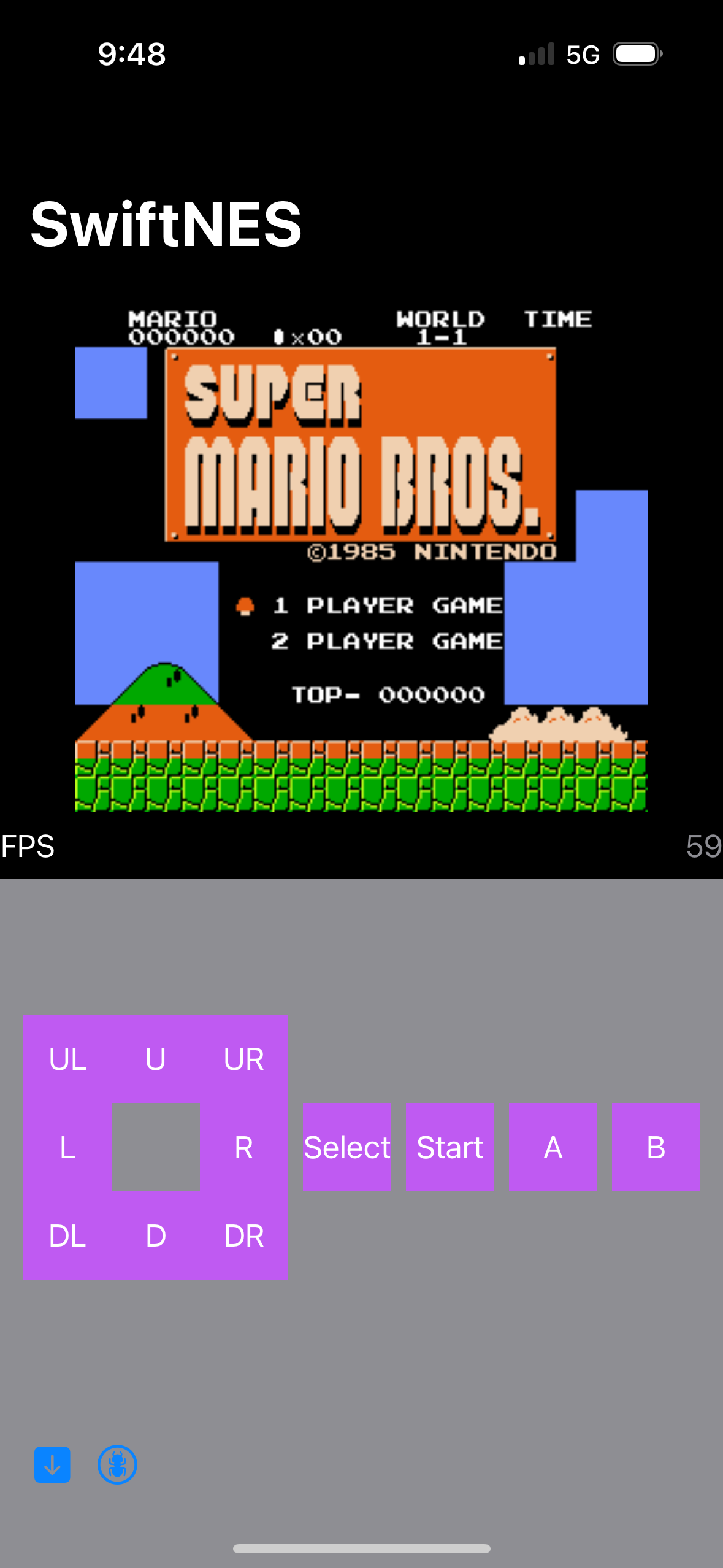
An iPhone app titled “SwiftNES”. A frame at the top shows Super Mario Bros world 1-1 being played, and a frame at the bottom shows a very rudimentary implementation of the buttons on an NES controller. The buttons highlight in blue when pressed as the Mario level progresses.
@jsph thanks! It’s been a really interesting project to mess around with.
@JustMeDevin this is lovely! I have so many feature requests already! I’d love minimum/maximum video length filters, or a way to say “just choose a random 20 seconds from videos that are longer”.
It’s great that you can swipe away a video if you’re done with it.
Fantastic work!
I feel sick. The guy came with an appropriate amount of skepticism and he was still hoodwinked by ChatGPT for nearly a month.
https://mastodon.social/@kashhill/115011576505782614
@seanfletchr love the Delta logo in the PCB!
Ruining the Swift-iness of my code to get some huge performance wins. Instead of completely pinning the CPU at 60 FPS now I’m using 50-70% of the CPU.
Using existentials in tight loops is bad news. But existentials are so CONVEEENIENT 😩
More things are working! I think from the video series that inspired this project, these palette issues will go away once I implement sprites. (So far we’re just seeing backgrounds.)
🤞
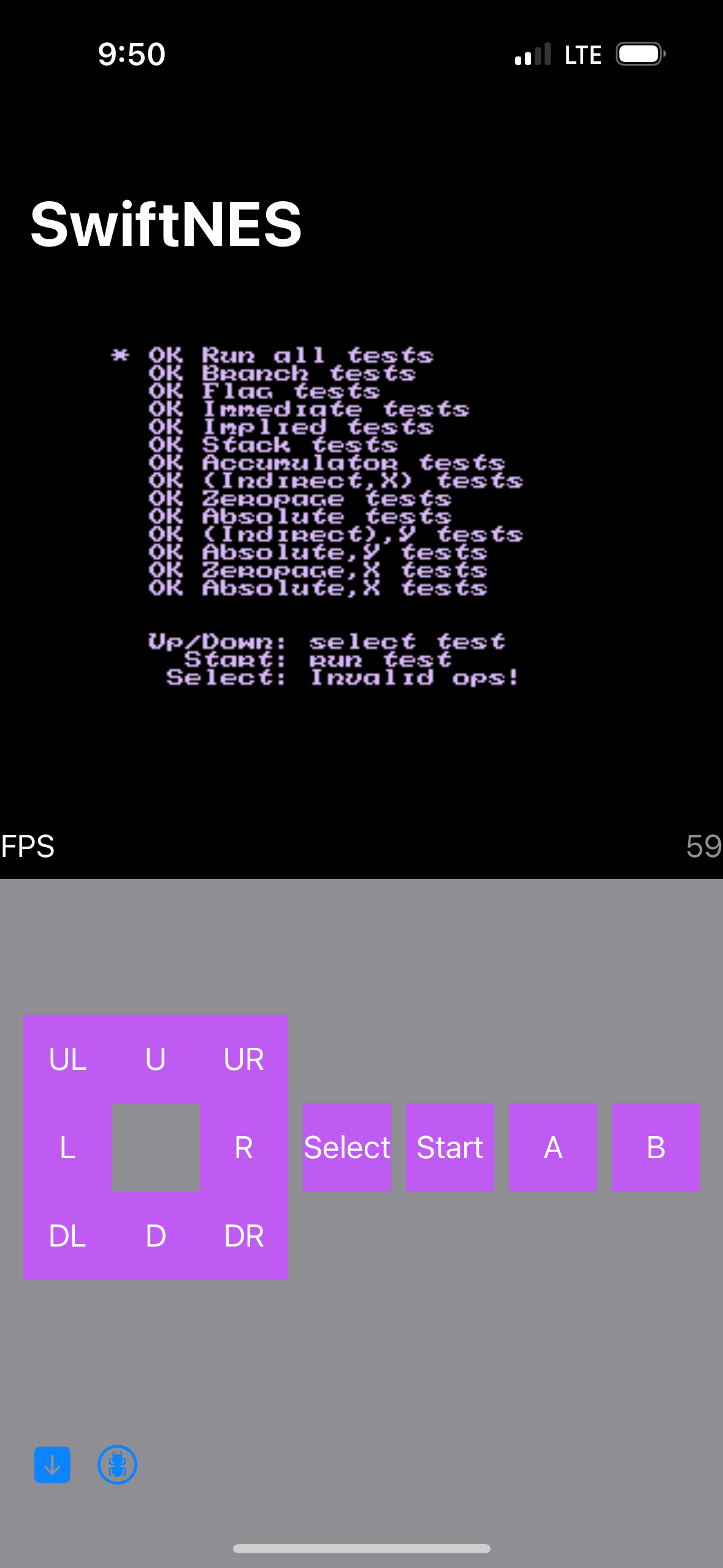 An NES test ROM’s display showing a list of tests with “OK” next to each.
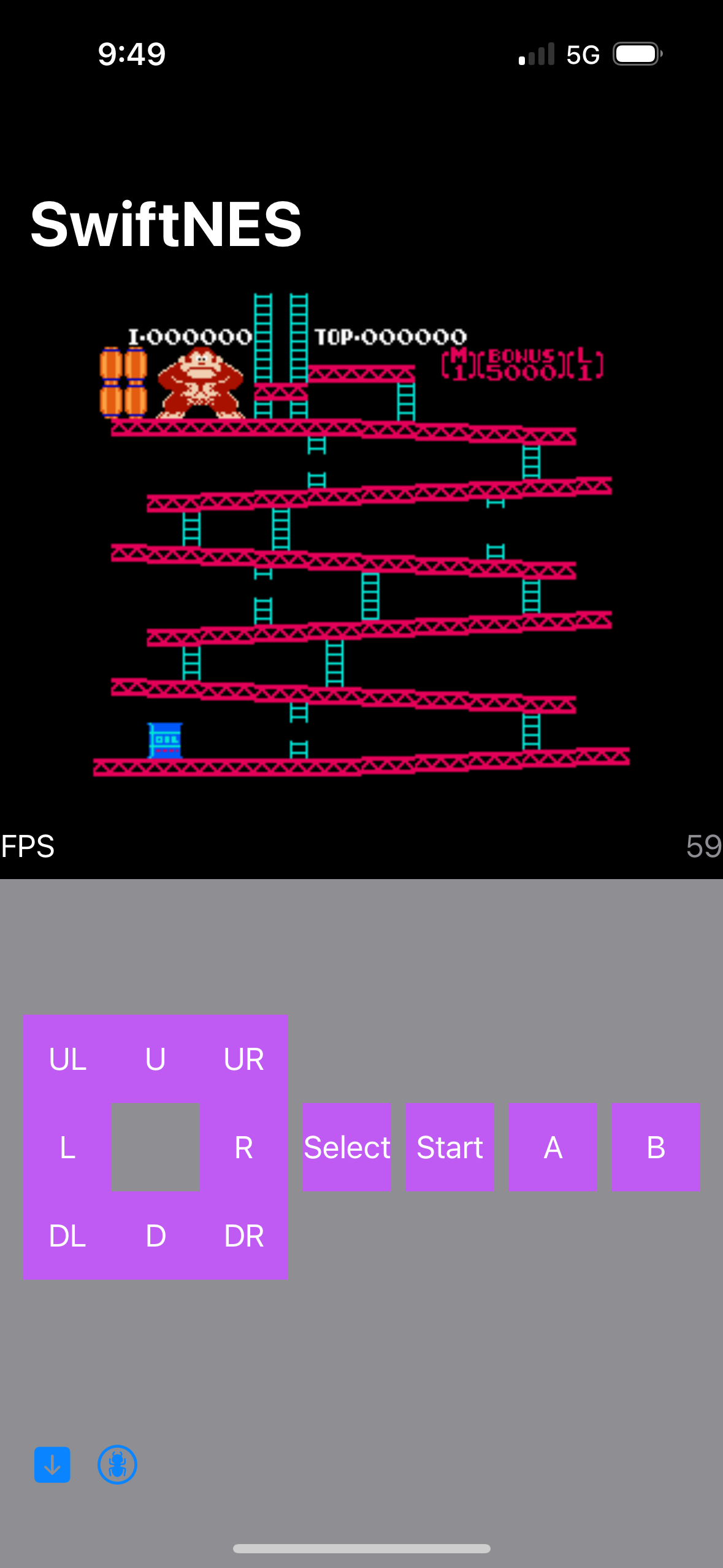 Donkey Kong’s demo mode showing correctly, albeit without any sprites. DK is visible at the top of the level but Mario and DK’s barrels are not visible.
 The opening screen of Super Mario Bros, but several portions of the screen are showing the wrong colours.
SPRITES!!!
I changed something that’s corrupting the palette’s background, but SPRITES ARE WORKING!
The Donkey Kong demo that shows if you don’t press any buttons at the start screen. DK now throws barrels, Mario climbs up the level and uses a hammer to explode some barrels before being hit by one. The background is grey instead of the correct colour, which is black.
THIS CLOSE to perfect! Looks like I have an off-by-one error with the scrolling on the scanline at the bottom of the hud area, but otherwise I’m absolutely over the moon with this!
The demo that plays at the start of Super Mario Bros. There’s a glitch where the bottom line of the hud area scrolls and snaps back when it should stay static on screen, but all the animations and colours are correct!
I had to dip into UIKit to make a controller that worked with multiple simultaneous touches and tracked touches when they enter a view instead of just when touches _begin_ in a view, but this thing is properly playable now! (I am bad at Mario though)
A playthrough of world 1-1 of Super Mario Bros using a very ugly on-screen controller.
I had to look at the Delta source code for inspiration because as far as I can tell UIControl.Event.touchDragEnter does not behave as advertised. Thanks @rileytestut!
Kershaw for the Dodgers vs Scherzer for the Jays AND Buck Martinez is back on the Jays broadcast‽ Should be one of the better games of the sEEEason!
@nitinkhanna @mikehoss @mitten
It’s not for me, personally. I went back to what the developer is now calling “Reeder Classic,” which is a different app on the store. But the new one is here (at least in the Canadian store): https://apps.apple.com/ca/app/reeder/id6475002485
@dimillian I dunno. I find this winners-and-losers hustler’s mindset dehumanizing and *exhausting*.
(Yes, my bias is that I’m an LLM-for-professional-work skeptic.)
I think the fact he points out that this kind of approach wouldn’t scale to multiple people is telling, which makes me write off the argument as just more “10x engineer” BS. He’s probably a good indie developer or entrepreneur but no way I’d hire him onto a development team.
@dimillian I also find the bit you highlighted deeply insulting. I see no correlation there. What I see is hustlers vs workers. I have nothing against hustlers! I suspect you are one. Cool! Just so long as they leave the rest of us be and not discard us as “losers” to be ignored.
I figured, the NES is 40+ years old, shouldn’t be too hard to emulate it fast enough.
I was wrong. With the PPU generating garbage pixels (I’m not far enough along to run real games yet) I’m only getting 30fps on my iPhone 14 Pro.
I may have to lose some of the Swiftiness of my code to make it fast enough. It needs to run at 60fps (for NTSC) because the CPU and PPU and their numbers of clock cycles per frame are directly tied together.
I say “garbage” pixels and not “random” pixels because generating random pixels using UInt8.random() produced single-digit frames per second. Randomness is expensive!
I’ve got ROMs loading into my NES emulator (mapper 0 only for now) and things are extremely not working! Found a big ol’ bug in my jump instructions. I’m sure there are many more to come.
Update: there were bugs in like 8 of my instructions 🫣
The test ROM I’m using is insisting that I implement the illegal instructions, and I’m not interested in that right now, so on to trying to make graphics render. I’m even less sure what’s going wrong here.
Some things are working! (Other things are not (not pictured).)
A test ROM is running in my NES emulator. A checkerboard pattern and a rainbow pattern scroll as I hold the start button. A frames per second counter shows 49 FPS.
@nitinkhanna @mikehoss @mitten there’s a version of Reeder that does that too, IIRC.